



FUNCTIONS
DOSING
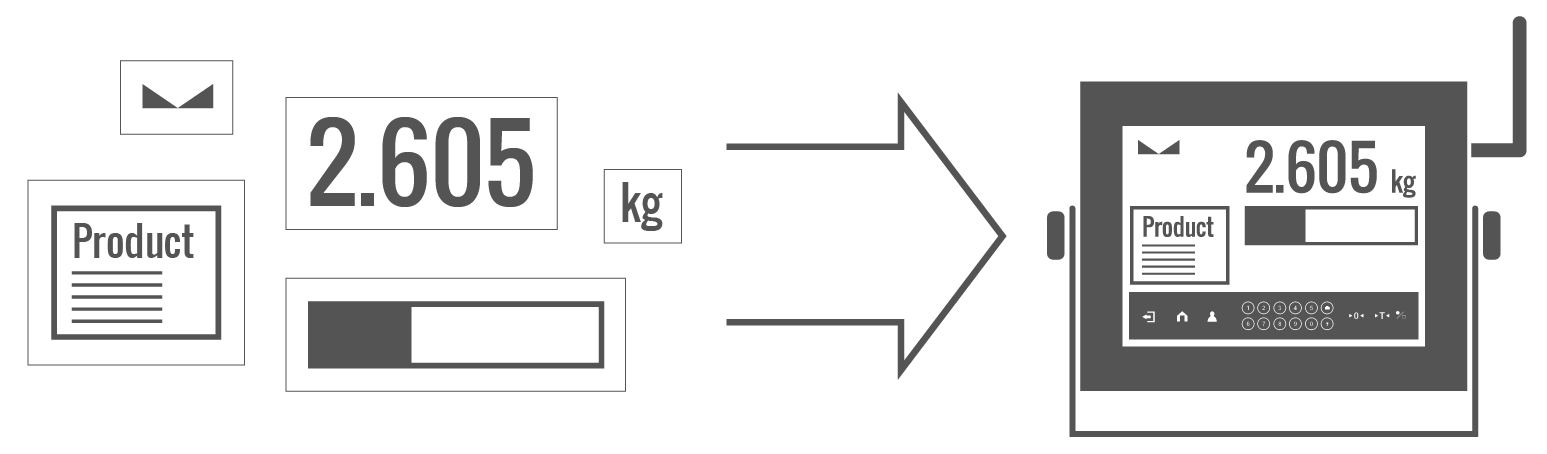
Weighing process for which reference mass has been determined together with tolerance for its determination. Dosing tolerance is given in [%] and it is calculated in relation to the reference value thus being a permissible deviation of this process. This solution is used for weighing powders, liquids and loose materials. Dosing function performance is often supported with bargraph – load indicator. For industrial scales it is possible to use a control systems of dosing process.
LABELLING
Marking products with the right symbols contributes to quick and reliable identification. The balance/scale usually transfers product mass or product quantity to the label printer. The transferred value is printed with the following information: bar code, pictogram, content, address etc. In laboratory the labelling is performed in a semi-automatic mode, for industry in an automatic one (dynamic scales).
PLUS/MINUS CONTROL
Control of sample’s mass carried out with reference to specified MIN and MAX thresholds. The weight is considered to be correct if it is comprised within threshold values. A graphic visualisation of weighing result is displayed in a form of a bar graph.
PERCENT WEIGHING
Percent Weighing function is used for comparision of measured products with mass standard. Mass of a mass standard may be a numeric value taken from a database or it may be determined through a measurement process. Each measured product is compared to mass standard, mass of which is presumed as a model 100% ideal mass. For products weighing less than the mass standard, obtained results are lower than 100%, for products weighing more, the obtained results are greatly exceeded.
TOTALIZING
Function adding new mass value to already obtained one. This allows to determine mass content of the mixture, being a composition of number of different consistence components. Totalizing is limited by maximum capacity parameter.
PARTS COUNTING
Function using mass measurement for determination of measured items quantity. Mass of a single item is required for this process. It may be either estimated through weighment or taken from a database. For items counting the following algorithm is used: all items mass / single item mass = quantity. Function operation is supperted by a mechanism of Automatic Correction of Accuracy. This allows to update single item mass in course of the process. To a certain extend Automatic Correction of Accuracy eliminates error which may be a result of different mass values of seemingly alike single elements. For industry solutions items counting may be simultaneously carried out with checkweighing and dosing thus industry solutions feature audio signalling base informing that specified number of items has been weighed. It is possible to apply weighing systems using few platfroms of different MAX capacities and different accuracies.
PEAK HOLD
Function registering the greatest temporary indication occurring in course of the weighing process. It is most often used in medical scales in order to hold the measurement indication.
FORMULATION
Function supporting the mixture making process, wherein the mixture contains various components. Formulation function usually uses the balance/scale database of components. Formulation serves for monitored checkweighing of every single component with a given tolerance. It is enriched with a set of individual settings.
STATISTICS
Statistiscs function registers and analyses performed measurements. This supplies the user withthe following information: Max and Min standard deviation, average value, variance, range et.
CHECKWEIGHING
Checkweighing function is used for checking whether the measured sample mass is within the predefined threshold values, Low [LO] and Hgh [HI]. The thresholds are given in [g] and [kg] units. Current state of a sample being measured is signalled by means of pictorgams located on a display for laboratory balances, for industrial scales Stackligt System is used. This visual +/- inspection is in operation during segregation, control or packing process of products for which mass has bees determined with a specifaied tolerance, eg. 12860 g 961
GLP PROCEDURES
Diagnostic function allowing to objectively document performed measurements. GLP procedures may be either presented in a short report form or extended one.
ANIMAL WEIGHING
Process of mass determination for a product which may unwillingly reposition within the weighing pan. Mass determination in such cases requires much longer period of time when compared to typical weighing process. It is the user who defines period of time needed for control of measured product mass. The user can thus optimize the function depending on the measured product characteristics.
DIFFERENTIAL WEIGHING
Differential weighing informs about mass variation a particular sample, wherein the said variation is a result of manufacturing processes.
Differential weighing is often applied in product control process, for which reference product parameters have been specified in order to be used as a source of comparison for the whole series.
Insuchcasestandard deviation is the information which tells about quality and completeness of a final product. For systems based on a feed-back technique such information may be used by control units.
REPLACEABLE UNIT
Replaceable units.
STATISTICAL QUALITY CONTROL
Statistical control for determination of basic statistical criteria: maximum, minimum, standard deviation, mean values for each batch, etc.
ALIBI MEMORY
“ALIBI” memory enables saving and storing up to 100000 measurements. Measurements are saved automatically upon each pressing of the key. There is no need for any additional operations or changing settings.
The following data related with the measurements is saved: measurement date; measurement time; result (mass); tare value; operator carrying out the measurement (logged in); product name.
The software saves the measurement in a so called loop, i.e. when the measurement no. 100001 is saved, the measurement 1 gets automatically deleted from the memory.
Measurements saved to balance memory cannot be deleted.
You can preview and print out the data saved to the ALIBI database.
The following data related with the measurements is saved: measurement date; measurement time; result (mass); tare value; operator carrying out the measurement (logged in); product name.
The software saves the measurement in a so called loop, i.e. when the measurement no. 100001 is saved, the measurement 1 gets automatically deleted from the memory.
Measurements saved to balance memory cannot be deleted.
You can preview and print out the data saved to the ALIBI database.
TRANSACTIONS
Complex weighing mode for registration of weighings that are part of transactions such as sale, purchase and warehouse transfer. You can create a new transaction using the scale. It is possible to pause the transaction or abort it. The function supports warehouse management in an enterprise.
DATASHEET
| Maximum quantity of verification units | 6000 e |
| OIML Class | II or III |
| Display | 10.1” graphic colour touchscreen |
| Protection class | IP 68 (1h max)/69 |
| Communication interface | 2×RS232, 2×USB, Ethernet, 4 IN / 4 OUT (digital) |
| Wi-Fi® module (option) | 802.11 b/g/n |
| Profibus module (option) | DP SLAVE |
| PROFINET module (option) | 1 × RJ45 |
| Analog output module (option) | 4-20mA, 0-20mA, 0-10V |
| Inputs/Outputs (option) | 12IN / 12OUT (IN – 5-24 VDC, OUT – max 30 VDC, 0.5 ADC) |
| Maximum increase of signal | 19.5 mV |
| Minimum volatge per verification unit | 0.4 µV |
| Maximum voltage per verification unit | 3.25 µV |
| Minimum load cell impedance | 50 Ω |
| Maximum load cell impedance | 1200 Ω |
| Load cell excitation voltage | 5V DC |
| Connection of load cells | 4 or 6 wires + shield |
| Operating temperature | -10 ÷ +40°C |
| Relative humidity | 10% ÷ 85% RH no condensation |
| Touch panel | capacitive |
| Keypad | panel touchscreen |
| Housing | stainless steel |
| Operating system | Linux |
| Processor | quad-core 64-bit Cortex-A53 1.2 GHz |
| Memory | RAM 1GB LPDDR2 |
| Data memory | 16 GB (micro SD) |
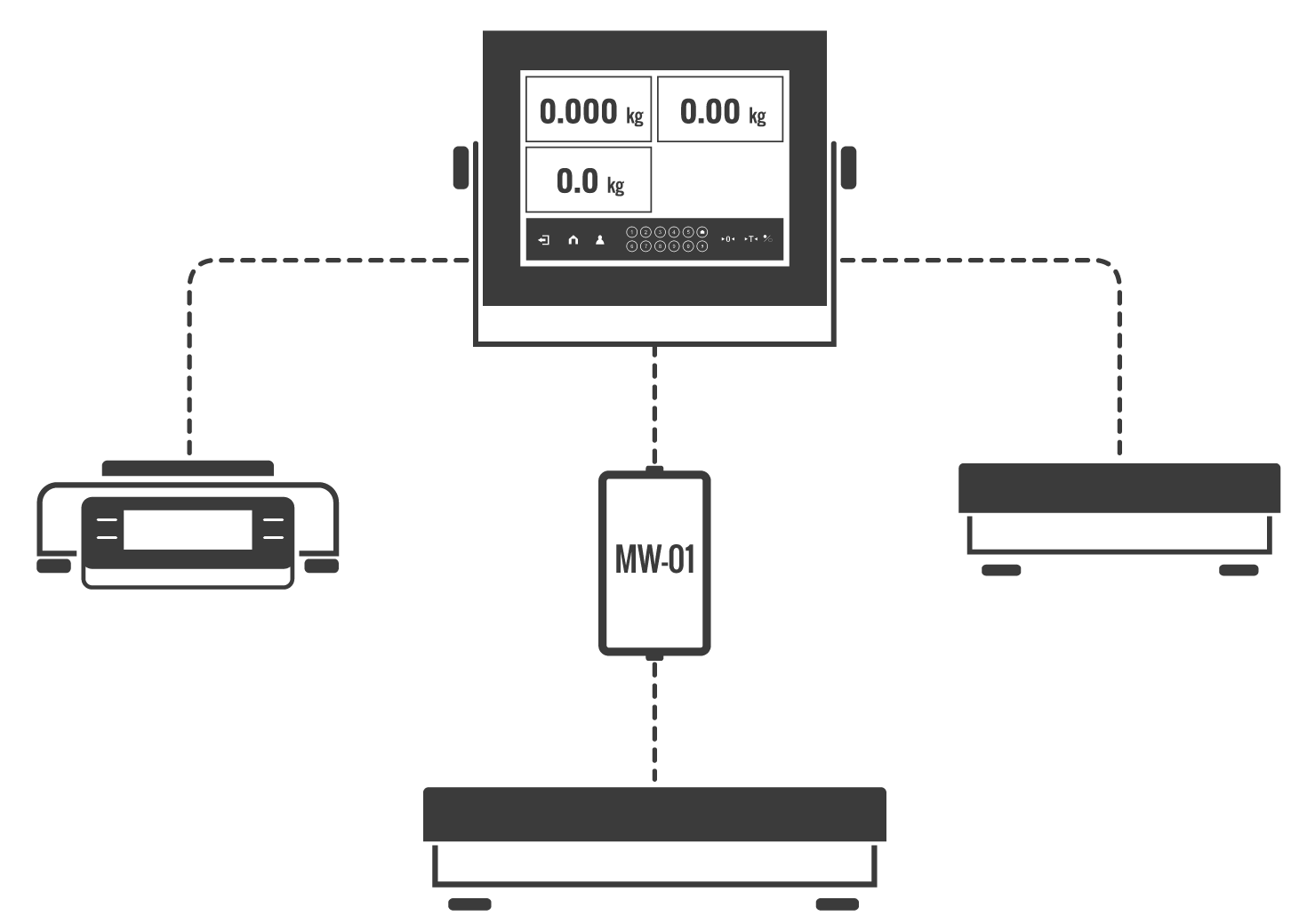
| Max number of platforms | 4 (2 × internal weighing module + 2 × external weighing modules) |
COMPATIBLE WITH
- HRP Platforms High Capacity
- Stainless steel HRP. H Platforms
- Platforms in plastic casing
- Mild steel powder coated weighing platforms
- Waterproof stainless steel platforms
- Stainless steel ramp platforms with LD lifting system
- Stainless steel platforms, pit version
- Ramp stainless steel platforms
- Audit Trail Reader
- E2R System
- Label Editor R02
- Parameter Editor
- Scales Editor 2.0
- R. Barcode
- R-LAB
- RAD-KEY
- RADWAG Connect
- RADWAG Development Studio
- RADWAG Remote Desktop
- LabVIEW Driver
- Moxa Uport 1110 Converter
- RS 232, RS485 cables
- RS232 cables (scale-Ethernet)
ADDITIONAL MODULES
RDA (RADWAG Data Access):
RADWAG Data Access (RDA) module enables integration of weighing instruments, based on HY10 indicator, with customers’ IT systems. The module has to be unlocked with a license key (Setup/Misc./Extensions module/RDA data access module). The activation must proceed in accordance with the instructions displayed on the indicator. Communication is carried out via WebSocket and all data has to be sent as JavaScript Object Notation (JSON). Data can be sent from customer system to the weighing instrument (databases – products, customers, operators, etc.) and the other way around (reports – weighings).
Audit Trail:
The Audit Trail registers each data modification (date, start value, modified value, operator responsible for the modification). This enables tracking all activities and modifying them in the future if required.
The Audit Trail Reader freeware enables to acquire data from the weighing instrument and export it as files to pdf, xls, csv, html formats.
The Audit Trail Reader freeware enables to acquire data from the weighing instrument and export it as files to pdf, xls, csv, html formats.

